Shaping intuitive driving experiences through UX/UI design
How can we make long-distance driving in an electric car feel stress-free, intuitive, and even enjoyable?
✨ Results first
In one year, I helped build a scalable Figma design system adopted by developers and designers, reduced driver anxiety on long trips, and delivered a consistent automotive interface ready for production.
📍 Project Overview
About
I joined the company to design the infotainment system from scratch, creating an interface that reflects the brand’s values, meets user needs, and ensures safety while driving.
The Challenge
Designing for cars isn’t like designing for screens. Drivers only have seconds to process information, every interaction must be clear, brief, and accessible.
The team’s workflow in Photoshop slowed us down, with inconsistent assets and scattered colours.




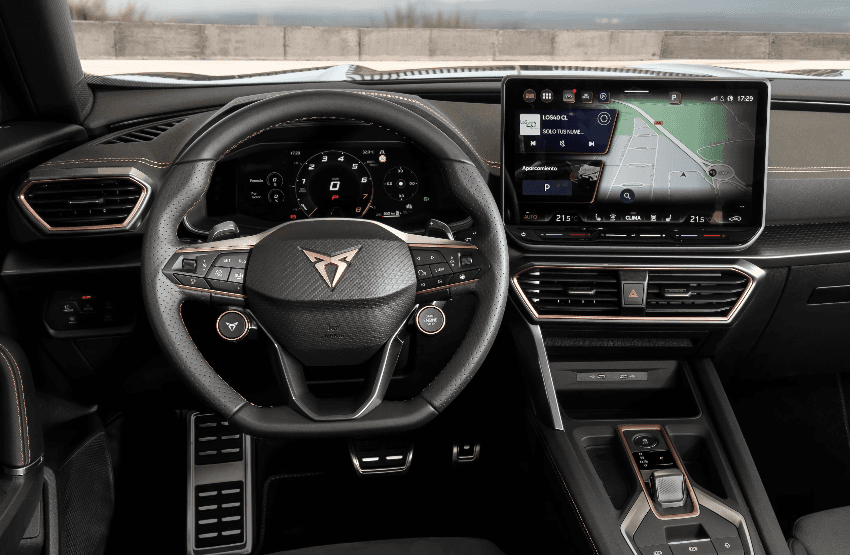
This image is another model of Cupra cars, not the one I designed, but to show you something to help you to get an idea of my work.
🔑 Story Highlights
“The stress of not knowing if you’ll make it”
In early user tests, drivers worried about reaching their destination before running out of battery, and struggled to find charging points. The interface overwhelmed them with data and no clear hierarchy.
“When Figma changed everything”
I introduced Figma to the team and built a new design system from scratch:
Components were easy to find.
Colours became consistent through tokens and variables.
We delivered sprint assets faster and iterated more confidently.
“Testing at 100 km/h”
Without initial access to users, I researched online communities and competitor solutions. Later, testing confirmed some information was still too complex. I simplified layouts so essential data could be understood in under 3 seconds.
“It finally felt real”
Seeing prototypes on a real car screen was a turning point: flows worked, icons were intuitive, and hierarchy was clear. The interface transformed from chaotic and overwhelming into an intuitive, stress-free driving experience.
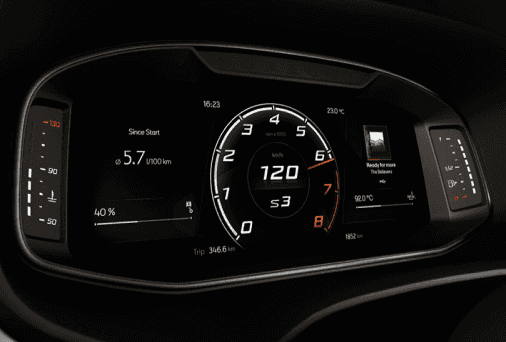
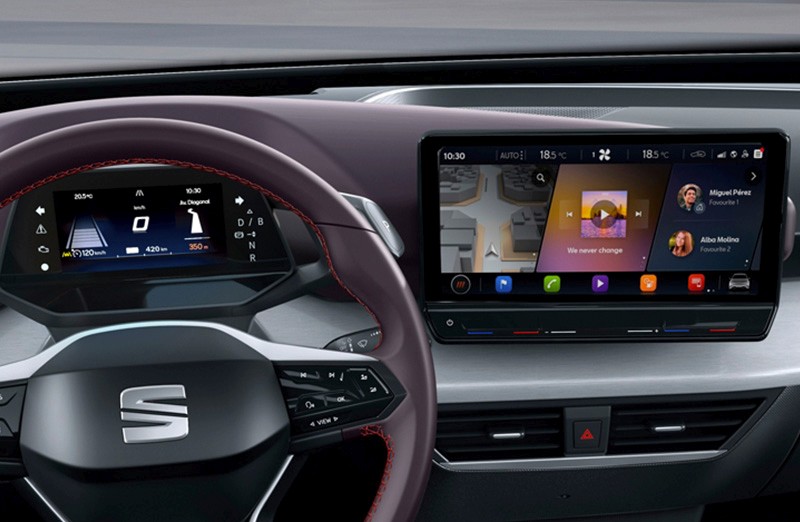
This image are another model of Cupra cars, not the one I designed, but to show you something to help you to get an idea of my work.
👩💻 My Role
Designed user journeys, wireframes, and interactive prototypes for vehicle screens, including context-aware flows for different driving modes.
Conducted research to propose new features, later validated through user testing.
Led the creation and maintenance of a scalable design system in Figma, from tokens to a full component library. Ensuring consistency across the product.
Coordinated with cross-functional teams in Agile sprints, aligning 100+ developers and 3 designers.
Delivered high-fidelity UI for engineering, applying accessibility standards (WCAG, legibility, input sizes).
Supported colleagues in navigating Figma and documented the system so it was easy to adopt and scale across teams.
Tools: Figma (Advanced) – Photoshop – Jira – Confluence
✅ Results
Reduced driver anxiety during long trips by simplifying range and charging point information, improving trust in the digital cockpit.
Built and maintained a scalable Figma design system, reducing delivery time by 30% and minimizing design inconsistencies.
Improved usability test success rate to 85% by designing and prototyping complex user flows for automotive digital interfaces.
Accelerated developer handoff and agile sprints by delivering interactive prototypes and structured documentation, boosting team efficiency.
Established a consistent visual language across products, reducing design errors and rework.
Streamlined asset management and workflows, enabling faster iterations and easier implementation of future changes.